Accessing the Form
- Log in to the dashboard
- Click on Products in the menu
- Click on Create Product
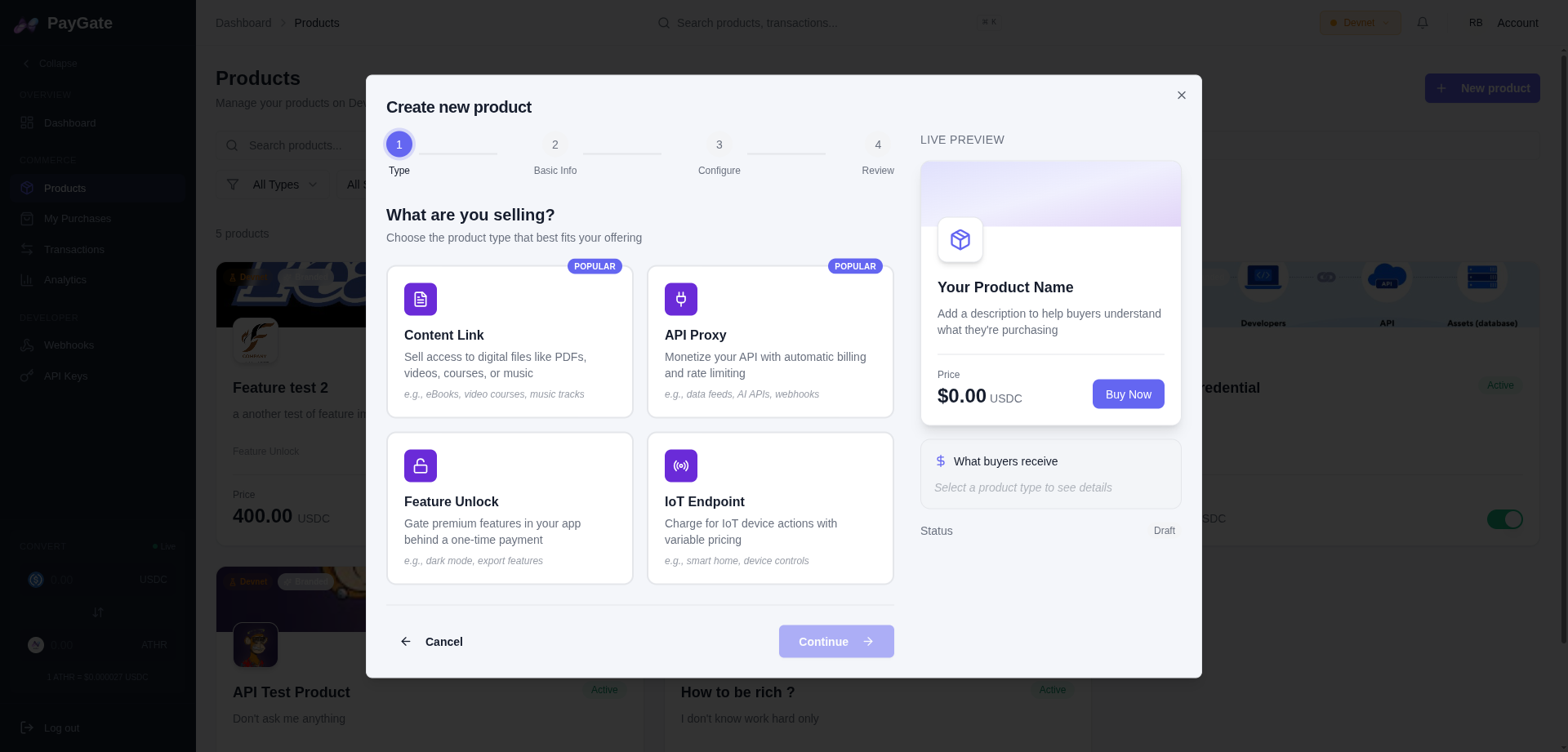
Product Types
Content
Digital content (articles, videos, files)
API Access
API access with per-request billing
Feature Unlock
Premium feature unlocking
Form Fields
Basic Information
| Field | Description | Required |
|---|---|---|
| Title | Product name | Yes |
| Description | Detailed description | Yes |
| Type | content, api_access, feature_unlock | Yes |
| Price | Price in USDC | Yes |
Network Configuration
| Field | Description |
|---|---|
| Network | Devnet (test) or Mainnet (production) |
Type-Specific Options
Content
- Content URL - URL to content after payment
- Download URL - Direct download link (optional)
API Access
- Rate Limit - Requests per minute
- Endpoint - Your API URL
Feature Unlock
- Feature IDs - List of features to unlock
- Expiration - Validity period (optional)
Example: Creating a Paid Article
Example: Feature Unlock
After Creation
Once created, you get:- Product ID - Unique identifier (
prod_xxx) - Payment URL - Payment link to share
- Embed Code - Code to embed on your site
Payment URL
Embed Code
Managing Products
Edit a Product
- Go to Products
- Click on the product to edit
- Modify the desired fields
- Click Save
Deactivate a Product
- Go to Products
- Click on the product
- Change status to Inactive
An inactive product cannot receive payments but remains visible in your history.
Delete a Product
- Go to Products
- Click on the product
- Click Delete
- Confirm deletion