
Overview
When a user wants to buy your product, they are redirected to the PayGate payment page.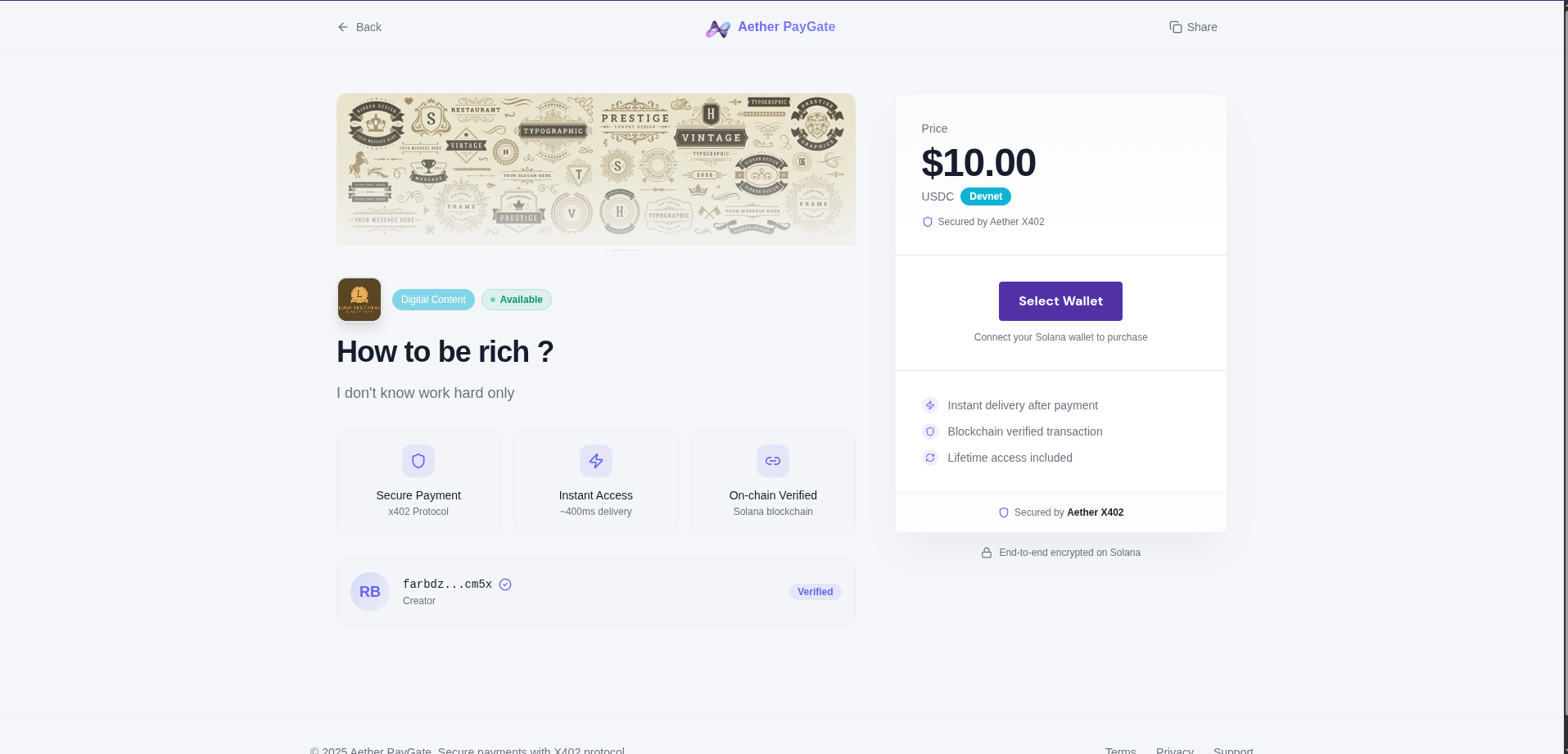
Payment URL
Each product has a unique payment URL:Payment Process
Step 1: Product Display
The user sees:- Product title
- Description
- Price in USDC
- Network (Devnet/Mainnet)
Step 2: Wallet Connection
The user connects their Solana wallet:- Phantom
- Solflare
- Backpack
- Other compatible wallets
Step 3: Confirmation
The user verifies the details:- Exact amount
- Recipient address
- Network fees (~$0.00025)
Step 4: Signature
The user signs the transaction in their wallet:- Wallet displays transaction details
- User approves
- Transaction is signed locally
Step 5: Payment
PayGate:- Verifies the signature
- Submits transaction to Solana
- Waits for confirmation
- Records the payment
Step 6: Access
After confirmation:- Content: Redirect to content
- Feature Unlock: Access token generated
- API Access: Access activated
Integration
Simple Link
Styled Button
With Redirect
Add aredirect parameter to redirect after payment:
Customization
URL Parameters
| Parameter | Description |
|---|---|
redirect | Redirect URL after payment |
ref | Custom reference (tracking) |
Example
Webhooks
Configure a webhook to be notified of payments:Security
- Private keys never leave the user’s wallet
- All transactions are verified on-chain
- No chargebacks (blockchain is final)
- SSL/TLS encryption